
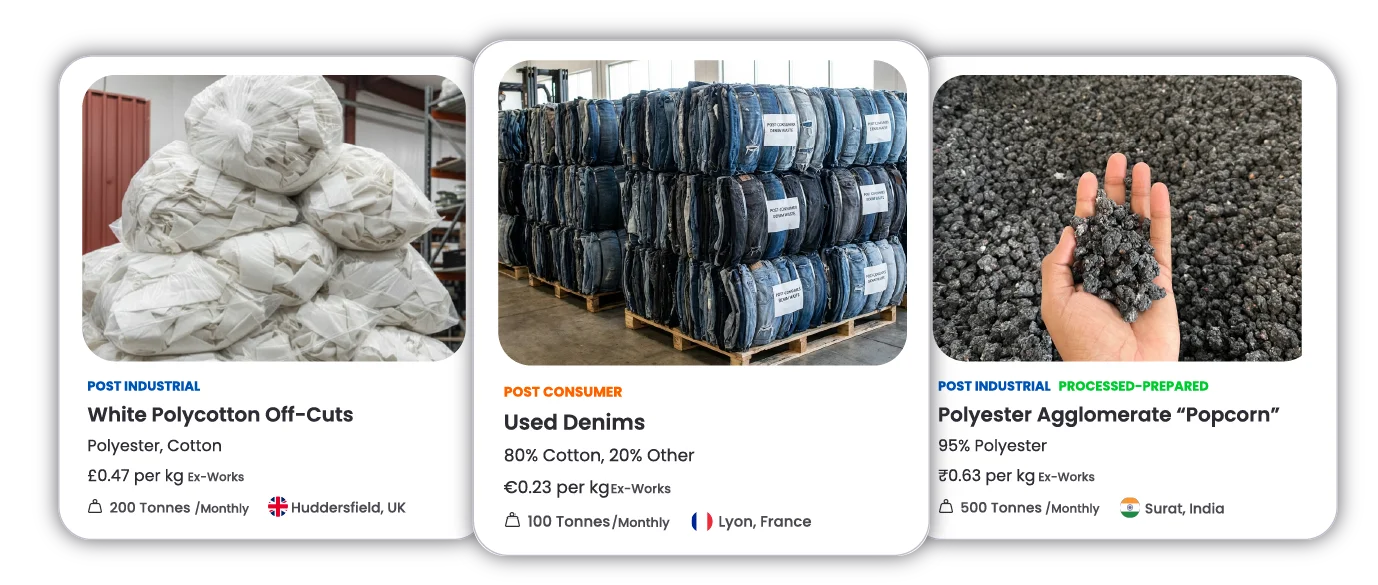
How to List Your Textile Waste on the Eslando Marketplace
A step-by-step guide for textile waste managers, collectors, manufacturers, traders and suppliers.
Selling textile waste can feel complex — fibre composition, grades, photos, pricing, recyclability. This guide is designed to make the process simple, transparent, and low-risk.
You don’t need to be a recycling expert. We’re here to help you list confidently and correctly.
Content:
- Getting Started
- Who is this guide for
- What you can sell on the Eslando marketplace
- Before you create a listing: what information you’ll need
- Watch the step-by-step video: How to create a listing on Eslando.
- Use our official listing Eslando template & get a review
- How to structure your listing with practical examples
- Still not sure how to split your listings? Talk to us!!
Pro tips before you start
- Be honest in your description. Nobody is perfect — and that’s okay. Buyers value transparency more than perfection.
- You don’t have to list everything at once. Try creating 4–5 listings a day so it feels manageable.
- Add real photos. You can upload up to 10 images per listing. Clear photos significantly improve buyer confidence. Please read our advice on images here.
- Think like a buyer. Who is this feedstock valuable for? What information would you need to price it properly?
- You don’t need to get everything right first time. Eslando helps standardise and validate listings before they go live.
1. Getting Started
a. Who this guide is for
This resource is designed for:
- Textile waste managers & collectors
- Manufacturers with post-industrial textile waste of any kind
- Traders selling sorted or semi-sorted material
If you have textile waste and want to sell it responsibly — this guide is for you.
b. What you can sell on the Eslando marketplace
You can list any type of textile waste feedstock suitable for recycling, including:
- Post-industrial textile waste: fibres, pellets, cuttings, yarn waste, rolls.
- Post-consumer textiles: clothing, furnishing, homeware — sorted or unsorted.
- Fibre-specific streams: cotton, polyester, blends, wool, nylon, etc.
- Prepared feedstock: pulled fibre, pellets, popcorns/densigies/agglomerate, shredded, clipped.
If you’re unsure whether your material is suitable, feel free to reach out to us at info@eslando.com or via the WhatsApp chat on the platform.
c. Before you create a listing: what information you’ll need
Before listing your material, try to gather the following information. Don’t worry if everything isn’t exact — rough estimates are fine.
- Photos: Up to 10 per listing in either JPEG, PNG, JPG, or WEBP. Max file size of 5mb each image.
- Fibre composition: This can be listed as:
- Exactly known, i.e., material with a percentage. E.g. – 80% cotton, 20% other
- Roughly known, i.e., materials without percentage. E.g., Cotton, Polyester.
- Unknown, i.e., that is when you don’t know the fibre quantity.
- Approximate volume:
- Quantity in tonnes
- Frequency (one-off, monthly, quarterly)
- Ex-Work price/kg: Ex-work price is the price that the buyer pays when they collect the order from your warehouse.
- Description: Include details of all that you know about the feedstock. Include bale size, how you have acquired this stock, any contamination, etc.
To make this easier, we’ve created a Google Sheet listing template and offer a review of your feedstock before it goes live.
2. Watch the Step-by-step: How to create a listing on Eslando
We’ve created a short step-by-step video showing how to create a listing like a pro seller.
You can pause the video and follow along.
The first listing usually takes less than 5 minutes — and once you’ve created a few, it only takes minutes.
3. Use our listing template & get a review
Using the official template
To make things easier, please use our official template on Google Sheets. Access the template here
How to use the template

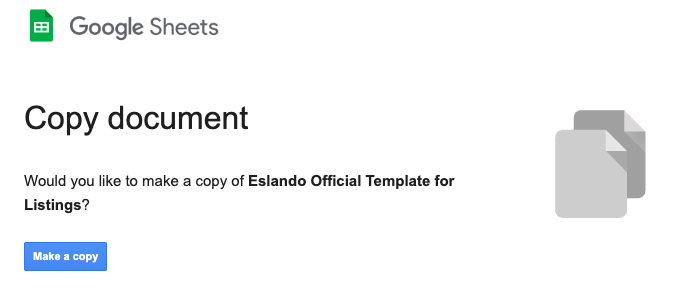
2. Click Make a copy of the sheet.
3. Fill in what you know.
The sheet includes all the information required to create a listing on Eslando and helps us review your material quickly and accurately.
4. Share for review
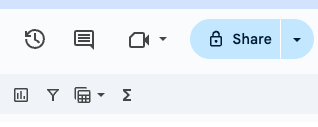
Click “Share” on top right corner of your sheet.
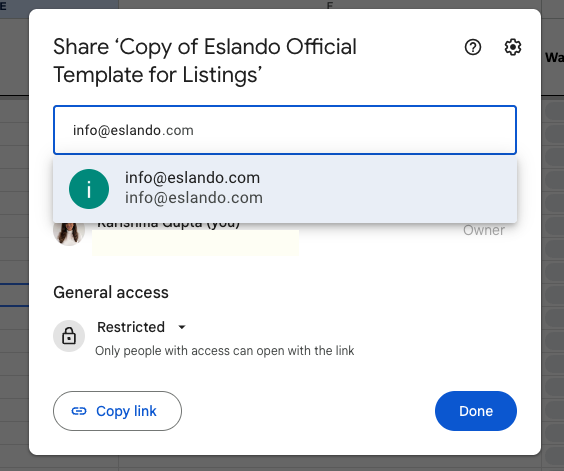
Enter info@eslando.com to share with us for review.
Free Review
To help you feel confident before selling, we offer a free listing review via email or video call.
Once you’ve completed the Google Sheet, share it with us at info@eslando.com. We’ll review and provide honest feedback.
If you’re already an Eslando user, we can also leave feedback for live listings directly inside the platform via our smart messaging system. Just message the Eslando official account here and share your listing in the smart messaging window.
4. How to structure your listings: a practical example
One of the most common questions we get is: “Can I create one listing and mention that I have multiple grades?”
Short answer: please don’t do that — and here’s why.
Example: listing cotton feedstock the right way.
Let’s say you have cotton feedstock available in different grades.
Create one listing titled “Cotton feedstock” and write:
We have various grades available.” This makes it difficult for recyclers buyers to:
- Quickly assess suitability
- Compare feedstock quality
- Price the material accurately
- They also think that the stock is mixed rather than sorted.
It often leads to unnecessary back-and-forth and slower transactions. In the worst case, the buyer might completely ignore your advertisement.
Separate listings by grade
On Eslando, grade = fibre composition
(for example: 95% cotton, or 60/40 cotton/polyester)
Instead, create separate listings for each grade, for example:
- One listing for 100% cotton
- One listing for 80% cotton
- One listing for 60% cotton
Each listing should clearly reflect:
- Its specific fibre composition
- Approximate volume for that grade
- Photos that match that exact material
- Ex-Work price/kg
If your material is colour-sorted: If your feedstock is colour-sorted, go one step further:
- Upload distinct photos for each colour. See if this guide on how to create images.
- Select multiple colours using the colour checkboxes
- Ensure the photos clearly match the colours selected
For example:
- White cotton → photos of white feedstock
- Blue cotton → photos of blue material
Avoid using one generic photo for all colours.
Buyers rely heavily on visuals.
You can include one photo showing all colours together — just make sure they are clearly labelled.
This applies to all fibre types: The same principle applies whether you’re listing:
- Cotton
- Polyester
- Wool
- Nylon
- Blends or other materials
One fibre type + one grade(composition) = one listing
Still not sure how to split your listings? Talk to us
That’s exactly why we offer:
· A Google Sheet listing template
· Live listing checks before your stock goes live.
· Feedback via Eslando smart messaging. Message on the Eslando official account here
If you’re unsure how granular to go, list what you know and use the live review process by contacting us at info@eslando.com. We’ll help you refine it.
Remember:
You don’t need to get everything perfect on day one — but structuring listings this way gives you the best chance of faster matches and better pricing.